Showing posts with label LINUX. Show all posts

Wednesday, February 22, 2017

LINUX COMMAND TO SHIFT FROM GUI TO COMMAND MODE AND VISE VERSA

Ctrl+Alt+F2 to shift from GUI mode to command mode.
Ctrl+Alt+F7 to shift from command mode to GUI mode (if this doesn’t work, try Ctrl+Alt+F8).

Friday, February 10, 2017

HOW TO NAVIGATE BETWEEN FOLDERS IN LINUX USING COMMAND LINE

CD command which is similar to windows command.
CD means change directory.

Example:
For our example lets assume the following directory structure

     root/test/etc/etc1

Task 1:  Command to navigate from etc to etc1 folder i.e., from higher level folder to lower level folder. i.e., from etc to etc1 folder

CommandCD etc1 

Task 2:  Command to navigate from etc1 to test folder i.e., from higher level folder to lower level folder. i.e., from etc to etc1 folder

CommandCD  /test

Note : Unlike windows type the full path for navigation to folders with correct spelling.


 For example to navigate to root folder type the command CD /


 After navigation to root folder type LS the list command it will display all the folders in root folder


to navigate to lower folder  etc type command cd etc


I have navigated to perl folder in etc folder

 now i have navigated backed to etc folder with the command cd /etc

Note : Important thing to note is for navigation to lower folder use cd navigation path and to navigate to upper folders use cd /Navigation path.
           use ls command to display the list of folders.

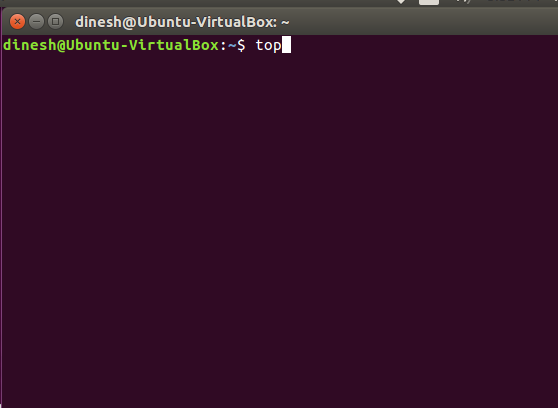
LINUX TOP COMMAND

TOP command is similar to Task Manager in windows.
when we type TOP we will see all process, CPU usage etc as seen as in the screenshot below

.
It shows PID - Process ID
               USER and other information.

H Command - It is help which will display all the commands related to TOP command.


For example if you want to kill a process use the command   K PID  

      Ex:    K  2395
                It will kill the process 2395


Monday, February 6, 2017

TASKSEL COMMAND IN LINUX

Tasksel description Task select.
Tasksel is the command specific to Ubuntu.
This command is used to install different Servers in Linux.
When you enter this command it will display list of servers to install then we can select the software which are required and install.


Sunday, February 5, 2017

HOW TO START, STOP OR RESTART APPLICATIONS IN LINUX

The Start command is used to start a application.
The Stop command is used to Stop a application.
The Restart command is used to restart a application.

Ex: sudo /etc/init.d/apache2 start

Note: After each command space should be there. 

LINUX BASICS


Commands:
  •  Sudo : Super user do.

     ROOT is the admin user in Linux. If a user logins as ROOT they can do anything in linux.
     If hackers can login as ROOT and cause problems.
     So in Ubuntu we can't login as ROOT so we need to use Sudocommand.
     Sudo command allows us to run commands as Administrator.

     Ex: Sudo apt-get
  • man :
        man command gives the description of the Linux commands.
        ping displays all the Ubuntu commands.

      Ex: man ping
  • q :
          q Command is used to quit and return to previous page.

  • clear screen :
           Clear screen command is  used to clear the linux terminal screen.


  • apt-get
          This command is used to manually install or uninstall or update the servers in linux from web.
          Ex: sudo apt-get install apache2
                 sudo apt-get remove apache2   
                 sudo apt-get upgrade apache2 

           To use this command we need to  install it in Linux.

How to execute commands in Linux:
  •  Open Terminal which is a command line tool in Linux.


INTRODUCTION TO LINUX


    Introduction:
    •  Unix is developed in 1970 in AT&T Laboratories.
    •  Linux is Unix like Open Source Operating system developed in 1994.
    •  Linux is not derived from Unix its a separate OS.
    •  Unix/Linux are multi user operating system i.e.., more than one user can logon at a time. 
    •  Example : Ubuntu, RedHat etc..,
    •  Shell is the screen you use to interact with the operating system (Graphical or command).
    •  ROOT is highest level of anything in Linux.    
                 ROOT user is the highest level of user in Linux(Admin). 
                 ROOT is the highest file location.
                 ROOT is the home directory for a User.
    •  Linux is caps specific that means HOME folder is different than Home folder.
    •  Operating system will be server and desktop version.
    •  Server will not have graphical user interface and minimal applications, desktop versions have  GUI.
    Advantages of Linux:
    1. Security
    2. High Availability - it can run for many days without reboot.
    3. Server functionality - Apache web Server, Email Server etc

    Disadvantages of Linux:
    1. Slow
    2. Not user friendly